You clicked one image.
Now find it instantly.
You click a picture in search results, the site opens — and the image is buried somewhere among hundreds of thumbnails. Pinpoint jumps straight to it, scrolls it into view, and rings it. One right-click.
Finding the image again is the annoying part.
Search results make finding an image easy. Landing on the actual page makes finding it again surprisingly hard.
Wallpaper galleries, product grids and image boards show hundreds of near-identical tiles.
Endless-scroll pages keep loading more, and your image is somewhere in the middle of it.
After 200 tiles, the picture you actually clicked starts to blur into all the others.
Right-click. Then stop looking.
No setup, no account, no dashboard. It works on the pages you already browse.
Right-click any image
On Google Images, Bing, Pinterest, a gallery, a shop — anywhere an image links somewhere. Choose “Search in source page”.
The source page opens
A small panel appears in the corner showing the exact image you're hunting for, so you never lose track of it.
Pinpoint finds it
It scans the page, scrolls to your image and rings it. If the page is huge, it keeps scrolling — so you don't have to.
Four steps. That's the whole thing.
From spotting the image to standing on top of it — here's exactly how a search plays out.
There it is — the one you actually want.
Google Images, a Pinterest board, a shop, a gallery. Hundreds of thumbnails, and one of them is the image you came for.
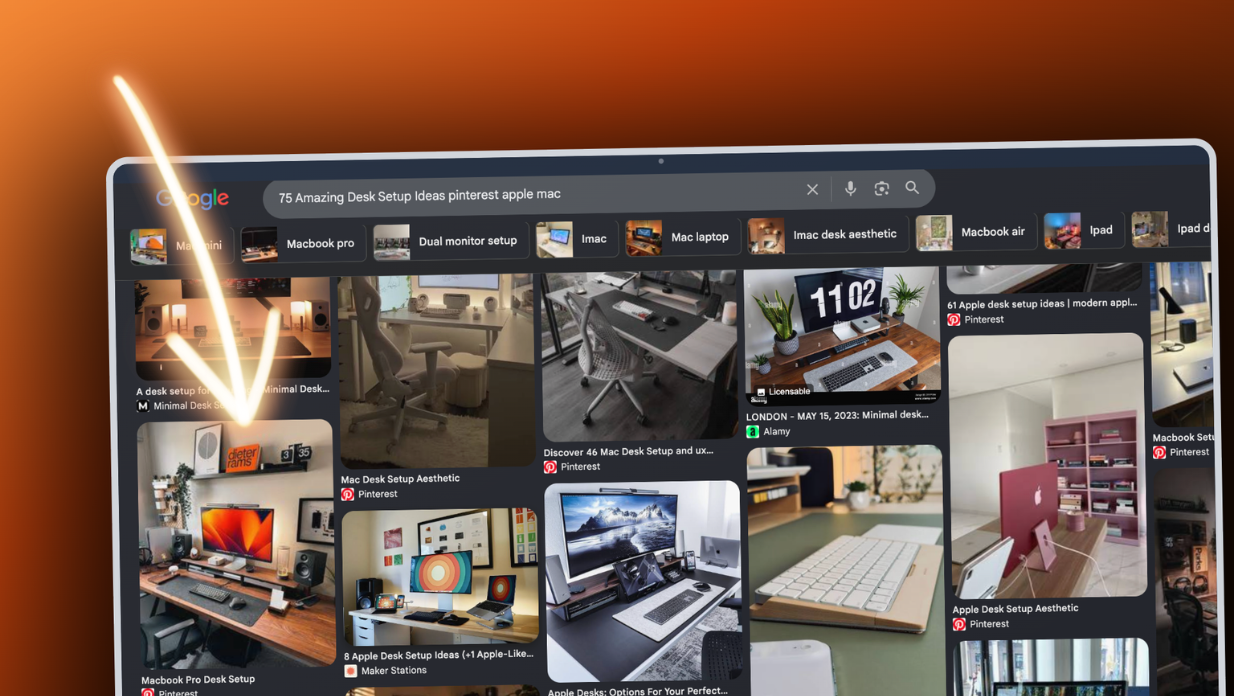
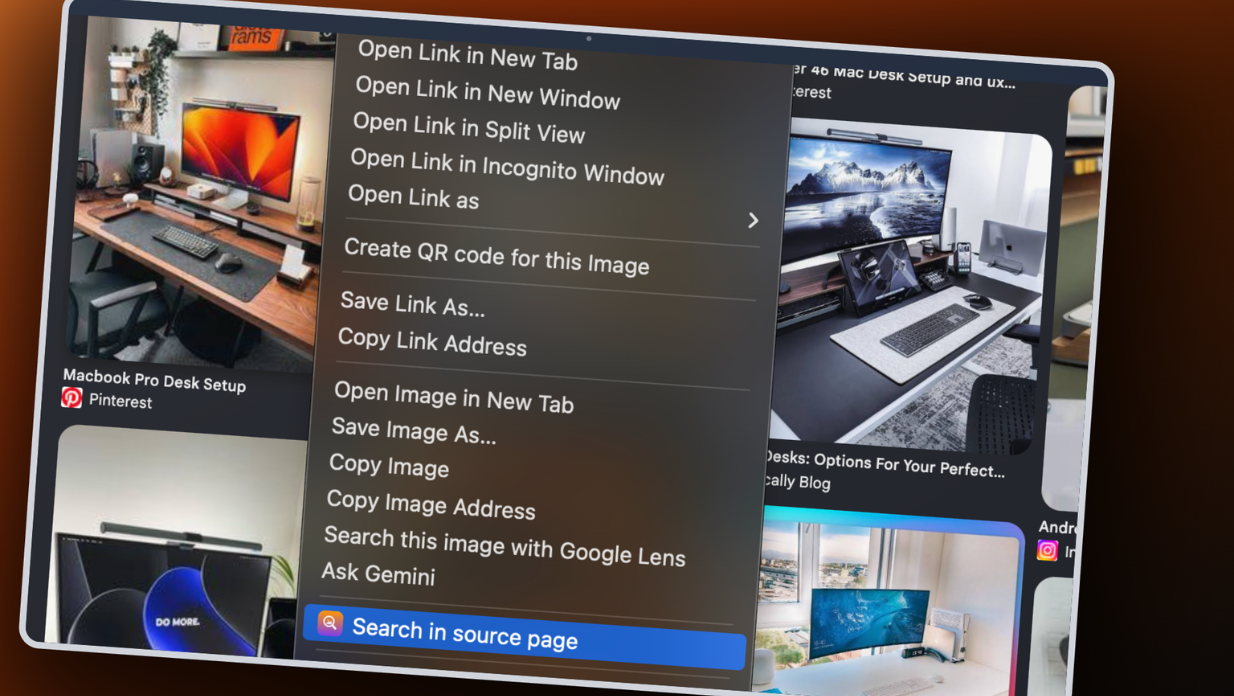
Right-click → “Search in source page”.
No setup, no account, no copying URLs. A single item in your right-click menu is the entire interface.
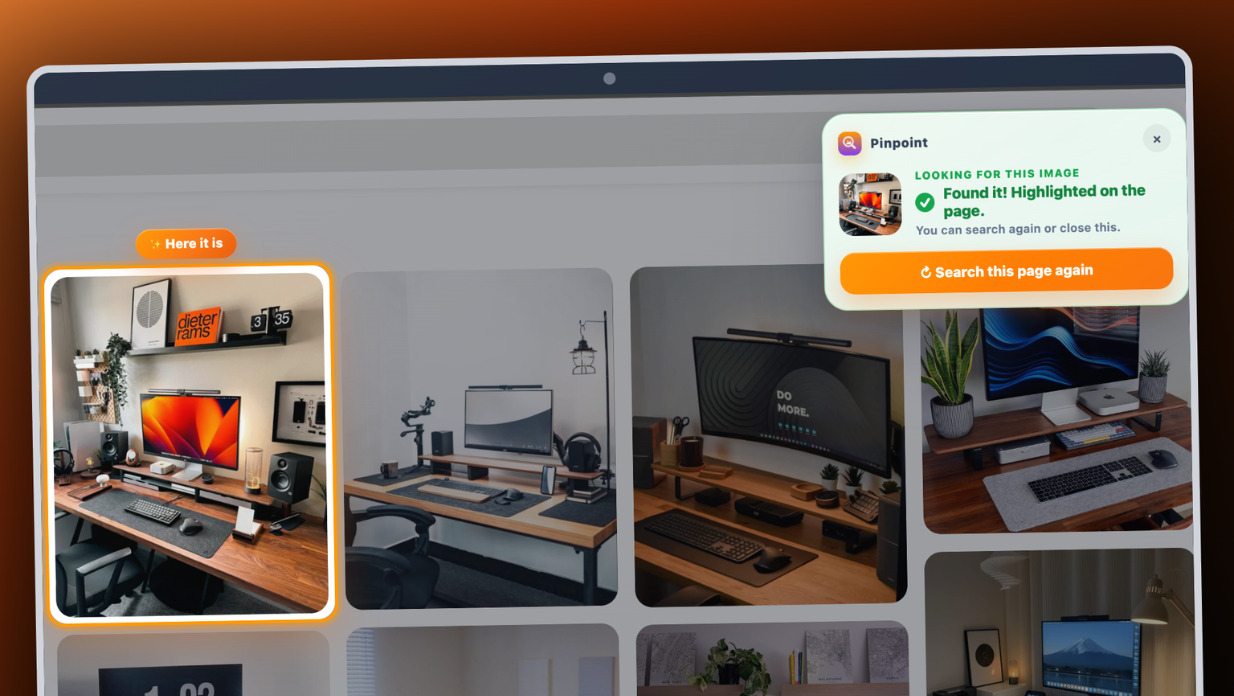
The page dims. Your image lights up.
Pinpoint opens the source page, scrolls straight to your image and rings it — impossible to miss, even in a dense grid.

Landed somewhere new? It keeps looking.
The panel travels with you, still holding your target image. Move to the next page, tap Search again — for as many pages as it takes.
Every feature is free. Ten searches a day.
Nothing is locked away. Pro simply removes the daily limit — for people who do this all day.
The whole tool, every day.
No feature gates, no account, no trial that expires.
- Right-click to locate on any site
- Auto-scroll and highlight
- Endless-scroll page scanning
- Multi-page searching
- Search again, as often as you like
- Counter resets every day
For people who browse images all day.
The same extension, without the daily ceiling.
- Unlimited image searches
- Every feature, exactly as in free
- One-time payment — no subscription
- Email-based restore access
- Use on up to 3 devices
- Supports ongoing development
One small payment. Not a subscription.
Install the free extension first, then unlock from inside it so your licence activates correctly.
Clear product, clear payment, clear support.
Before you install or upgrade.
Is Pinpoint free?
Yes. You get 10 image searches every day, with every feature included. Pro removes the daily limit for a one-time payment.
What counts as one search?
One right-click on “Search in source page”. Searching again, scanning a long page, or continuing across several pages all belong to that same search — they don't count extra.
Is Pro a subscription?
No. Pinpoint Pro is a single $4.99 one-time payment — no recurring charge.
Why can't I buy Pro directly on this site?
Pro activation needs an install ID generated inside the Chrome extension. Install it first, then unlock from the extension popup.
How is Pro access restored?
Use the same payment email on the account page to verify and restore your Pro access on any device, up to 3 devices.
Are my images uploaded anywhere?
No. Image matching runs entirely inside your browser. We never upload or store the images you search for.
Will it find every image?
Most of the time, yes. Some pages draw images in ways no extension can read, or the source site re-hosts a different copy. When Pinpoint isn't sure, it says so rather than highlighting the wrong picture.
Does it work on any website?
Any normal webpage where the image links to a source page — search engines, galleries, shops, image boards. Some restricted pages limit what any extension can do.
Stop hunting for the image you already found.
Free every day. Unlock unlimited only if you use it constantly.
A note on accuracy
Pinpoint matches images visually, on your own device. It works well on most ordinary web pages, but it is not guaranteed to find every image in every situation, and it can occasionally get a match wrong.
Some pages draw images in ways no extension can read, and some sites re-publish a cropped, watermarked or heavily re-compressed copy that no longer resembles the original closely enough to be matched. When Pinpoint isn't confident, it will tell you it couldn't find the image rather than highlight the wrong one. Please treat it as a helpful shortcut, not a guarantee.